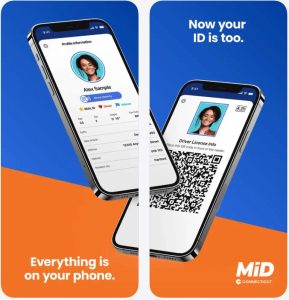
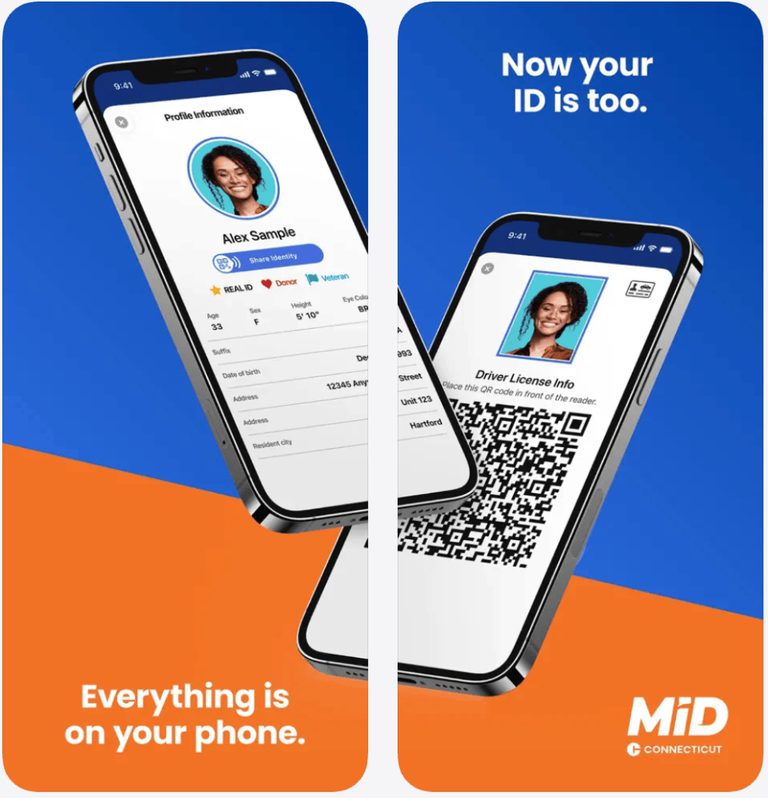
The Connecticut Department of Motor Vehicles rolled out a Mobile ID application on Wednesday, giving residents a convenient digital alternative to carry alongside their physical driver’s license or state identification card. Governor Ned Lamont highlighted the launch as part of his administration’s push to make state services more accessible through mobile technology.
How to enroll
Residents download the free Connecticut Mobile ID app from the Apple App Store or Google Play Store. To complete enrollment, users must:
- Have a physical, REAL ID‑compliant identification card – a non‑driver ID, driver’s license, learner’s permit, adult learner’s permit, or commercial driver’s license.
- Register their phone number in the app.
- Take photos of the physical ID and a selfie for identity verification.
- Allow the app to cross‑check the information with the state’s official records.
Once verified, the app generates an encrypted QR code that can be scanned by participating verifiers. Users control each request, choosing to accept or deny the scan.
Where it works
The Mobile ID is accepted at Transportation Security Administration checkpoints nationwide, including Bradley International Airport and Tweed New Haven Airport. It can also be used at participating businesses such as bars, restaurants, dispensaries and retailers, and for certain online transactions. The state has not released a master list of participating locations.
Current limitations
Police officers and local law enforcement will not accept Mobile ID at launch, meaning it cannot be used during traffic stops. The app also cannot be used at polling stations for voting, so residents must still carry their physical ID for those purposes.
Security features
Access to the app requires Face ID, fingerprint or a PIN, and the app automatically logs out after a period of inactivity. All data shared via the QR code is encrypted, and the developer, IDEMIA, states it does not permanently store personal information.
Support and troubleshooting
For issues with scanning, receiving verification texts, or app access, users can visit IDEMIA’s support page. If the app shows an outdated address, the underlying physical ID must be updated through the DMV. Residents whose physical ID is lost, stolen or damaged must obtain a replacement before they can set up a Mobile ID.
What to remember
While the Mobile ID offers a modern, convenient way to prove identity in many settings, it is an optional companion—not a replacement—for the traditional card. Connecticut residents should continue to carry their physical ID for law‑enforcement interactions, voting and any situations where the mobile version is not yet accepted.
Original reporting: The Connecticut Mirror — read the source article.